Read and write access through Epiphan MCP lets AV teams check equipment and request changes from an AI assistant.
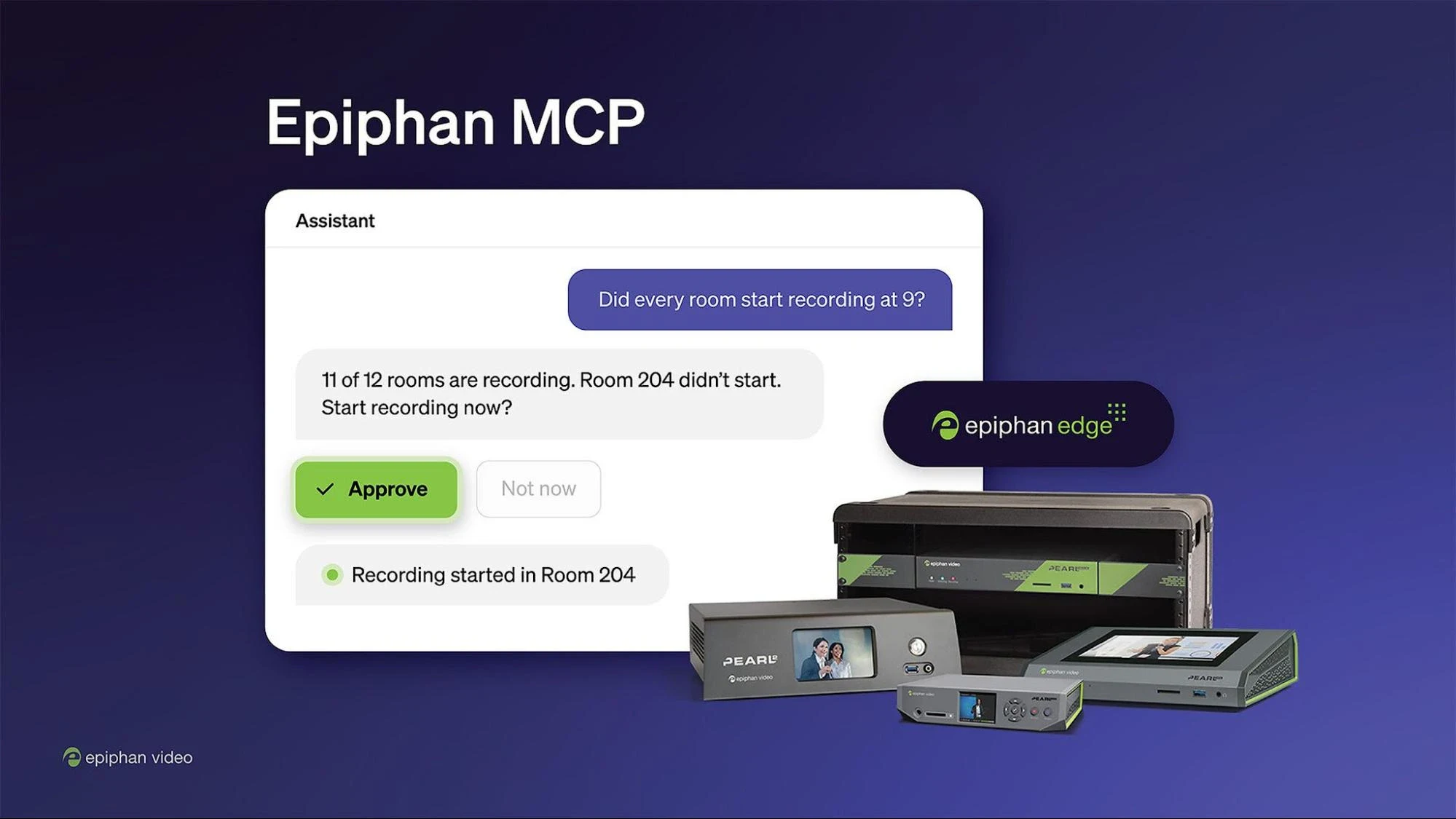
Epiphan Video is moving routine encoder management into the AI chat interface with read and write access for Epiphan MCP. Its hosted Model Context Protocol server connects assistants to Epiphan Edge, allowing AV and IT teams to check Pearl devices and request actions in the same conversation.
From status checks to device control
Teams can ask about storage, recording state and schedules, then request changes such as starting a recording, launching a stream or extending an event. Other supported actions include applying saved configuration presets across devices, rebooting equipment and updating firmware.
The practical aim is to shorten the path between identifying a problem and responding to it. Epiphan gives the example of a technician finding a stopped recording or offline stream and addressing it without switching to a dashboard or visiting the room.
Existing permissions stay in place
According to Epiphan, the connection uses its Cloud OAuth sign-in and is limited to one selected team. The assistant inherits the user’s existing visibility and role permissions, while Claude and ChatGPT request approval for each write action. Reboots and firmware updates are flagged as potentially disruptive to live recordings or streams.
Write access is available on Epiphan Edge Premium plans for Pearl-2, Pearl Mini, Pearl Nano and Pearl Nexus. Pausing and resuming recordings requires firmware 4.24.6 or later. EC20 cameras also support reboot and firmware updates through the service.